Fly yourself smart.
Your focus time is flight time. Pick a route, board, and study until you land — captain and crew included.
- Free
- No account
- Runs in your browser

Departures
Who is in the air right now — anonymous, by callsign. Every landing counts towards the shared statistics.
| Flight | Route | Class | Status | Remaining |
|---|---|---|---|---|
| … | ||||
Three steps to takeoff
Why fly with Study Airlines
Study Airlines for iPhone
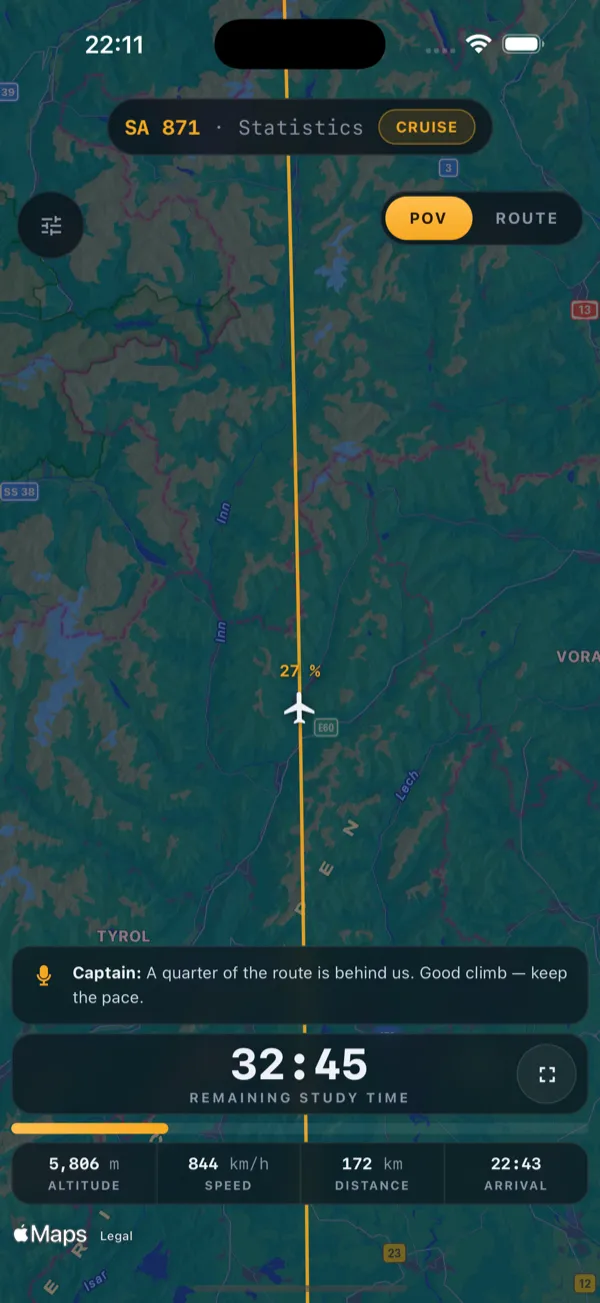
The same study flight as an app, free for iPhone and iPad. Your flight keeps going when you put the phone down.
- Live Activity on the Lock Screen and in the Dynamic Island
- A notification the moment you land
- Flies offline too, with the built-in globe

Inflight magazine
Frequently asked questions
Is Study Airlines free?
Yes. Study Airlines is free and runs directly in your browser. There is nothing you have to install and nothing to pay.
Do I need an account?
No. There are no accounts and no sign-up, so there is nothing to log into and nothing to delete. You open the cockpit and book a flight.
How does a study flight work?
Pick a departure and a destination: the real flight time between the two airports becomes your study time, Frankfurt to London is 73 minutes. Or take a fixed 25, 45, 60 or 90 minutes. Once you board, the timer runs, captain and crew announce the stages, and on landing your flight is stamped onto the departures board.
Can I take a break during a flight?
Yes. Pause (turbulence) stops the clock: the break does not count as study time and the landing moves back. Flights of 45 minutes or more also include a planned onboard-service break of 3 to 5 minutes, flights from 150 minutes two of them.
What happens if I abort a flight?
An aborted flight leaves the departures board without landing and does not count towards the statistics. Only landed flights do.
What does the public departures board show?
A running flight appears under a randomly assigned callsign with the two airport codes, without a name and without a subject. What you type as your subject never leaves your device.
Does it work on my phone?
Yes. Study Airlines runs in any current browser on computer, tablet and phone, and your browser can add it to the home screen like an app. Once the cockpit has loaded, the flight runs on your device; only the departures board and the Apple Maps view need a connection.
Is there an iPhone app?
Yes, free on the App Store for iPhone and iPad. In the app your flight keeps running with the screen locked: a Live Activity shows the flight number, route and time remaining on the Lock Screen and in the Dynamic Island, and a notification arrives when you land. Without a connection, the built-in globe takes over the map.